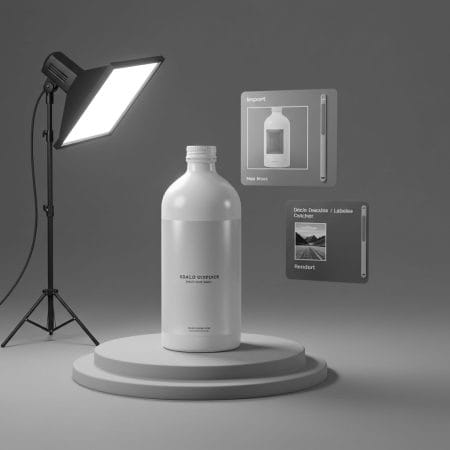

Select your objects and click one button. Color Palette Pro creates the materials, connects the nodes and applies your choice. Use it on selected objects or on the whole scene. Assign one color to all objects or give each a different color from your 7-color palette.
Select your objects and click one button. Color Palette Pro automatically creates materials and connects color nodes. Choose whether all objects get the same color or each gets a unique color from your 7-color palette.

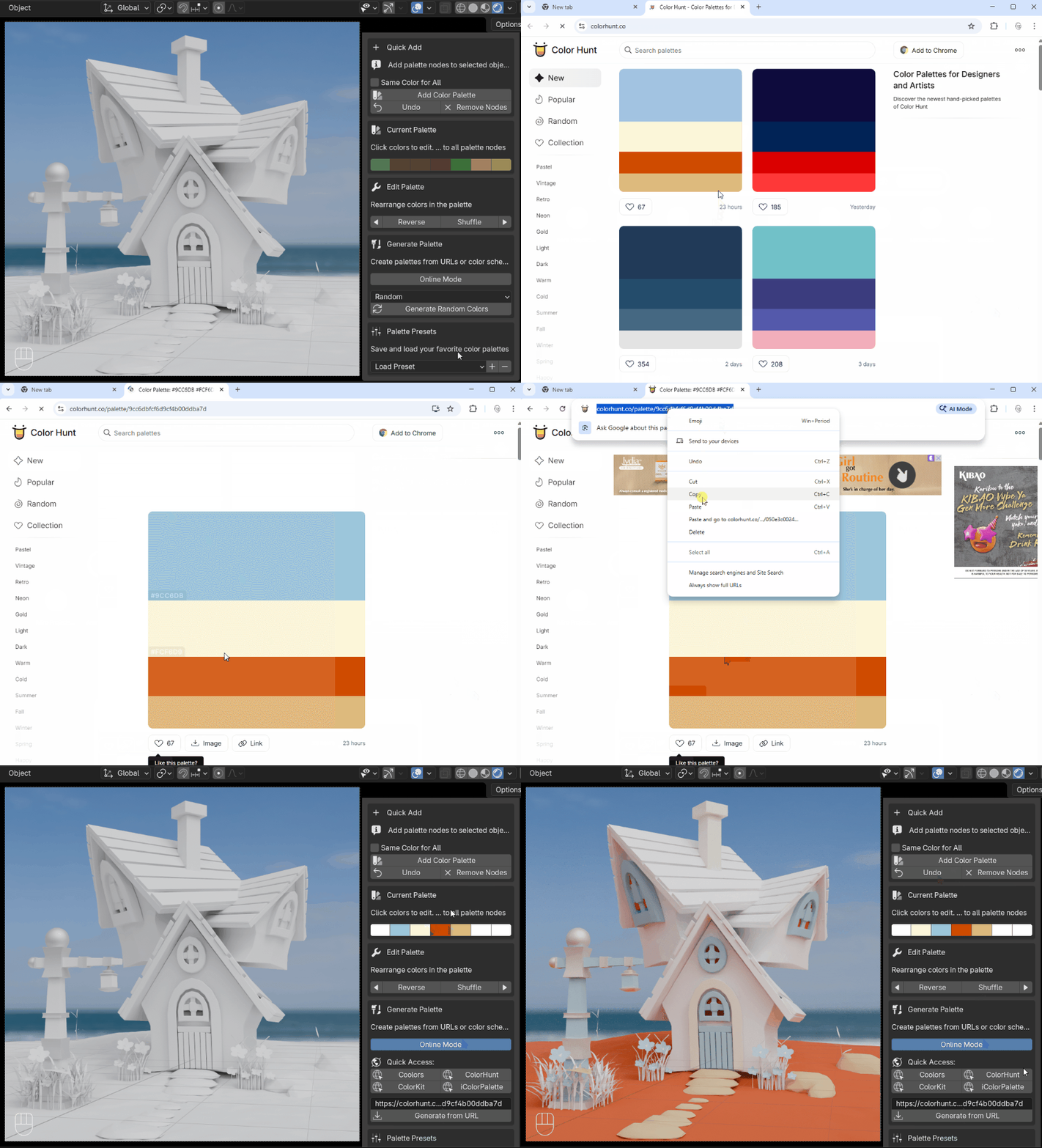
Copy any palette URL from Coolors.co, ColorHunt.co, ColorKit.co, or iColorPalette.com and paste it directly into Blender. Your palette loads instantly.
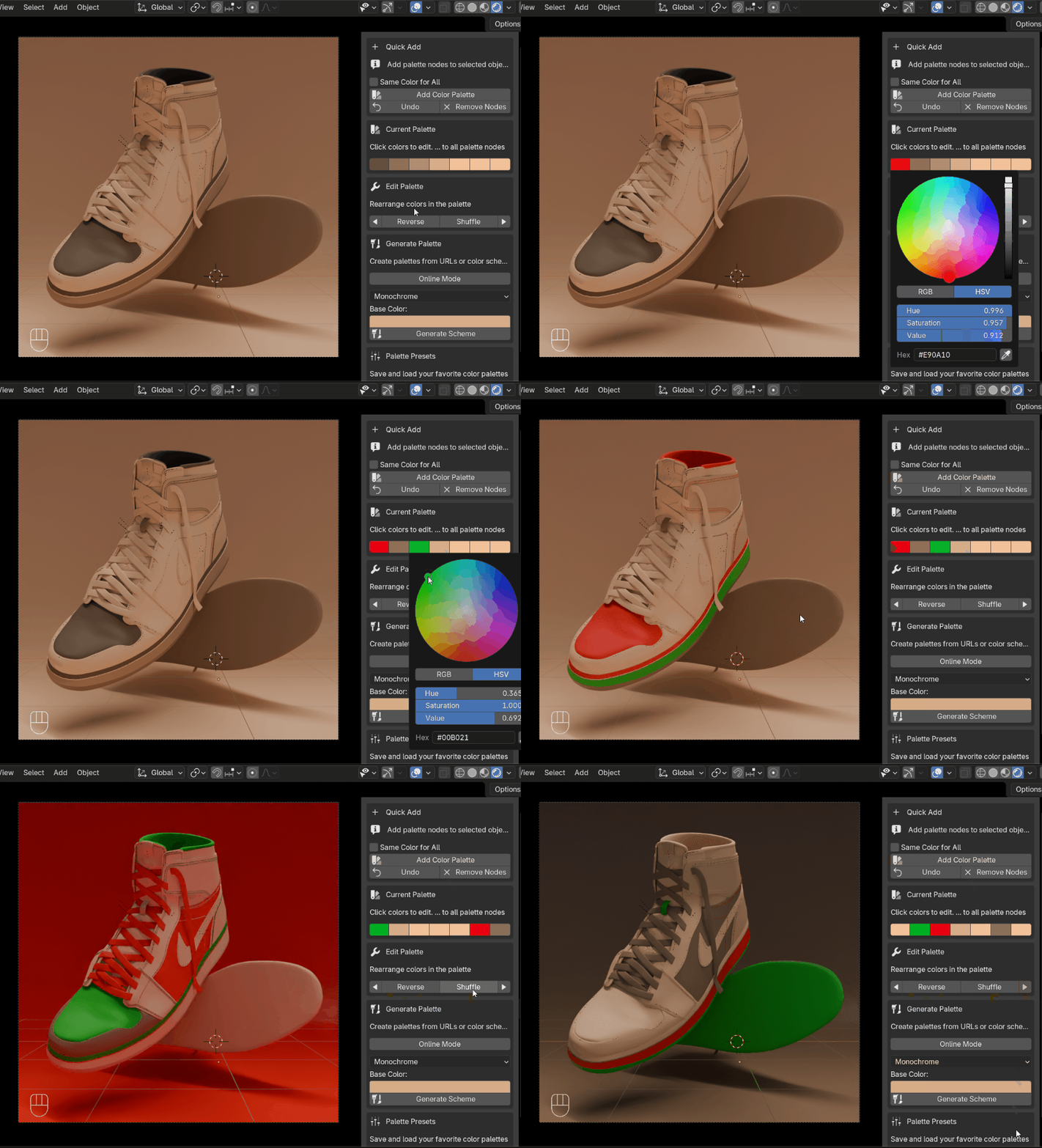
Create professional palettes using 10 color theory algorithms: Complementary, Triadic, Analogous, Monochromatic, and more. Pick a base color and generate harmonious schemes instantly.

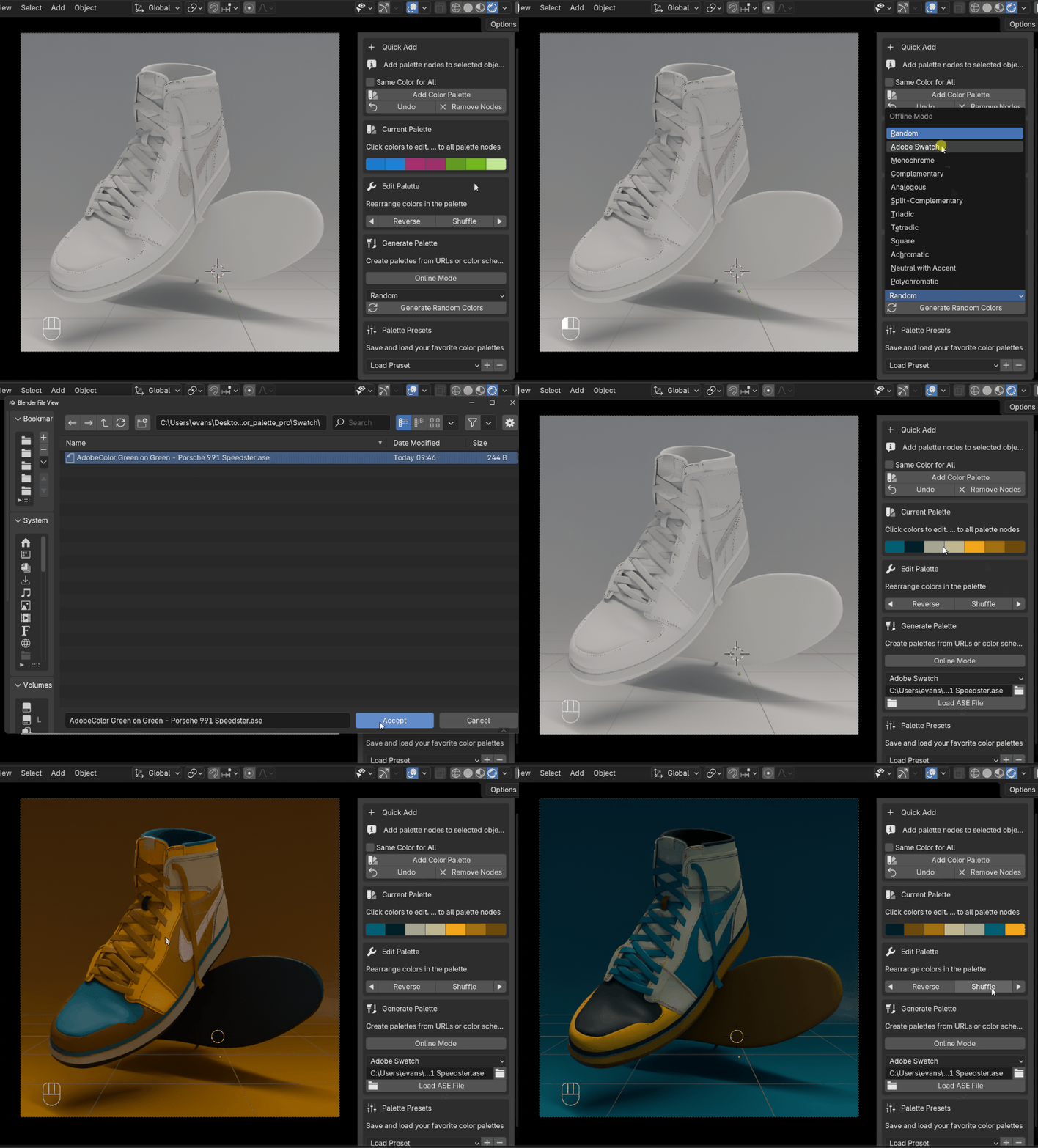
Load professional color palettes directly from Adobe Creative Suite. Export your swatches as .ASE files from Photoshop, Illustrator, or InDesign, then import them into Blender with afew clicks. Perfect for studio workflows and brand consistency.
Shuffle, reverse, or shift colors in seconds. Change any color and watch all your materials update automatically across your entire scene.
The addon understands your node setup. It creates materials for empty objects, connects to existing Principled BSDF nodes, or adds nodes to the side for complex setups. No materials destroyed, everything preserved.
Create a preset library of your go-to palettes. Brand colors, seasonal themes, project-specific schemes—save them once, use them everywhere.
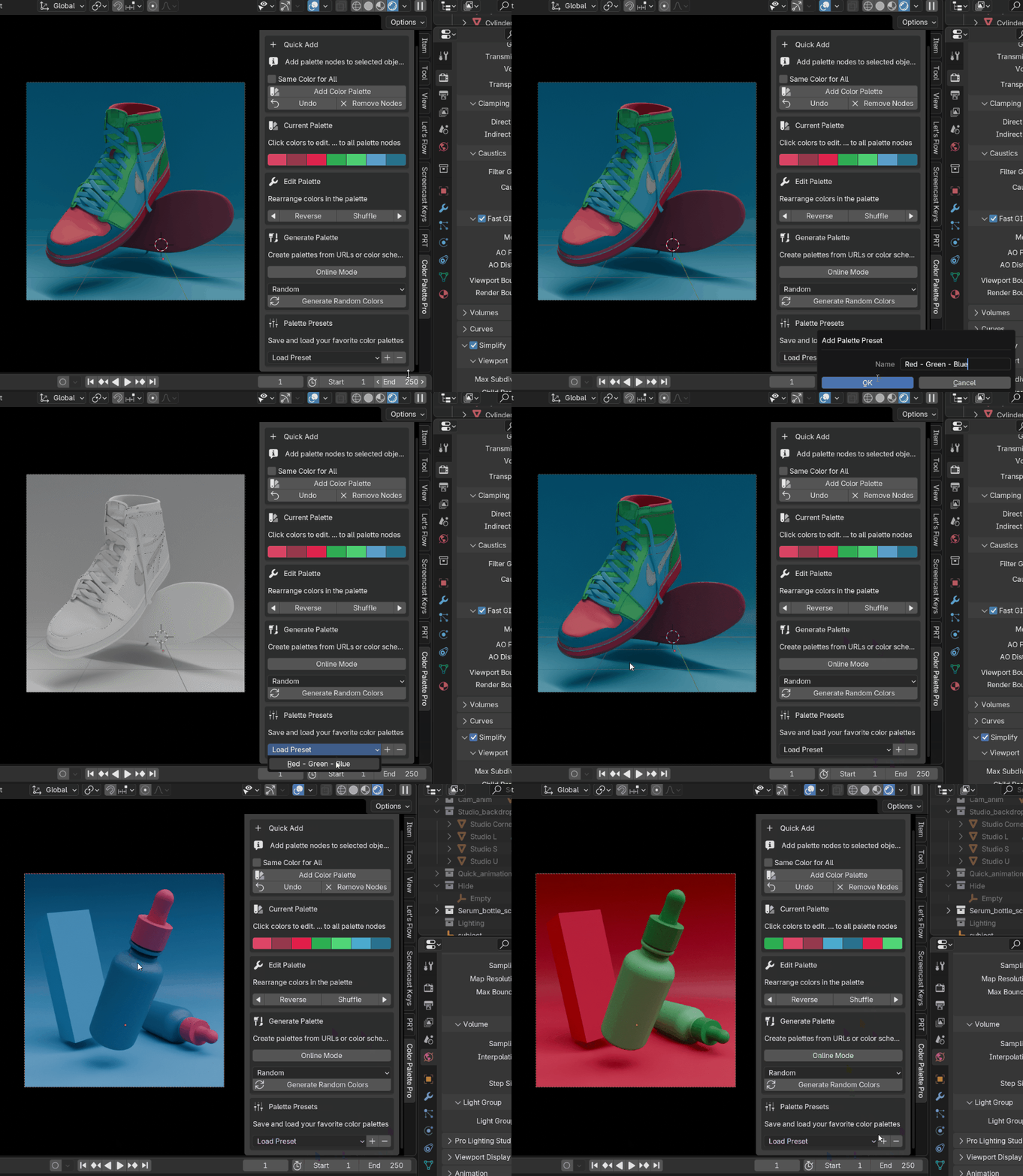
Color Palette Pro is a Blender addon that streamlines your color workflow. It lets you generate harmonious color schemes, import palettes from popular color websites, and apply colors to multiple objects with a single click.
Color Palette Pro is designed to work with modern versions of Blender. If you’re unsure whether it supports your specific version, reach out to us on WhatsApp or by email before purchasing and we’ll confirm compatibility.
Yes. Select your objects and click one button. The addon automatically creates materials and connects the color nodes for you. You can choose to apply the same color to every object, or assign each object a different color from your 7-color palette.
Yes. You can copy any palette URL from Coolors.co, ColorHunt.co, ColorKit.co, or iColorPalette.com and paste it directly into Blender. Your palette loads instantly, so there’s no need to manually re-create colors.
Yes. You can export swatches as .ASE files from Photoshop, Illustrator, or InDesign, then import them straight into Blender in a few clicks. This is especially useful for studio workflows where brand color consistency matters.
Pick a base color and the addon generates harmonious schemes for you using 10 built-in color theory algorithms, including Complementary, Triadic, Analogous, and Monochromatic, among others.
No. The addon is built to understand your existing node setup. It creates materials for empty objects, connects to existing Principled BSDF nodes, or adds new nodes alongside complex setups. Nothing is destroyed, everything you’ve already built is preserved.
Yes. You can shuffle, reverse, or shift colors in seconds. Changing any color in the palette automatically updates all connected materials across your entire scene, so you don’t have to update objects one by one.
Yes. You can build a preset library of your go-to palettes, whether that’s brand colors, seasonal themes, or project-specific schemes, then save them once and reuse them across future projects.
Color Palette Pro is available for $12. If you run into any issues after purchase or have questions about using the addon, you can reach the Gachoki Studios team by phone, WhatsApp, or email through the contact details on the site.
Color Palette Pro streamlines your color workflow in Blender. Generate harmonious color schemes, import palettes from popular websites, and apply colors to multiple objects with one click.
Have a question? Contact us — we reply within minutes
Requires Blender version 4.0 and above. That's it!
It includes a zip file that you will install like any other Blender addon or extension. After you install the zip file, you are ready to go.
Current version: Color Palette Pro v1.0.6 — updated on 15th June, 2026. Updated for compatibility with Blender 5.2. We ship fixes and features regularly based on user feedback and changes to Blender.
Used this to generate a palette from a reference image and it matched the brand colors almost exactly.
Good for quick palette experiments, though exporting palettes to another project file wasn't obvious at first.
Solid for swapping material colors in bulk, the swatch picker UI feels a little small on higher resolutions.
Synced an entire palette across multiple materials on a car render and it kept everything consistent.
The palette lock feature works well, though undoing a full palette swap could be a bit smoother.
The palette generator gave me a coherent color scheme for a scene in seconds instead of me eyeballing hex codes.
The color harmony presets helped me pick complementary tones for a scene I was struggling with.
Batch color updates across every material slot in the scene saved me a ton of manual clicking.
Saved me from manually updating a dozen materials every time a client wanted a different brand color.
Really handy for testing different color palettes on a product mockup, wish it supported more than 7 swatches.
Great tool for quickly previewing brand color variations on packaging renders.
The palette-to-material sync made client color revisions painless instead of a half hour of manual editing.
Swapping material colors across a whole scene at once instead of clicking through each shader is a game changer.
Got questions before buying or having trouble buying?
Reach out to us!
+254 735 840 870
+254 735 840 870
[email protected]
Bruce House, Nairobi